Online lessons in Lessonspace
Connect your centre's Lessonspace account so every online lesson opens in a classroom with video, a shared whiteboard and files, with nothing to install.
 Written by the Pillar OS team Updated November 19, 2026
Lessonspace is an online classroom: video, a shared whiteboard and files, in the browser, with nothing to install. Connect your centre’s own Lessonspace account to Pillar and every new online lesson opens there. Each tutor and student keep one classroom from week to week, so last week’s whiteboard and files are still there. Families join from the link in their reminder.
Lessonspace bills your centre directly for its use. Pillar adds nothing to your Pillar OS bill for it. No account yet? Lessonspace has a free trial.
Get your key from Lessonspace
Where: in Lessonspace
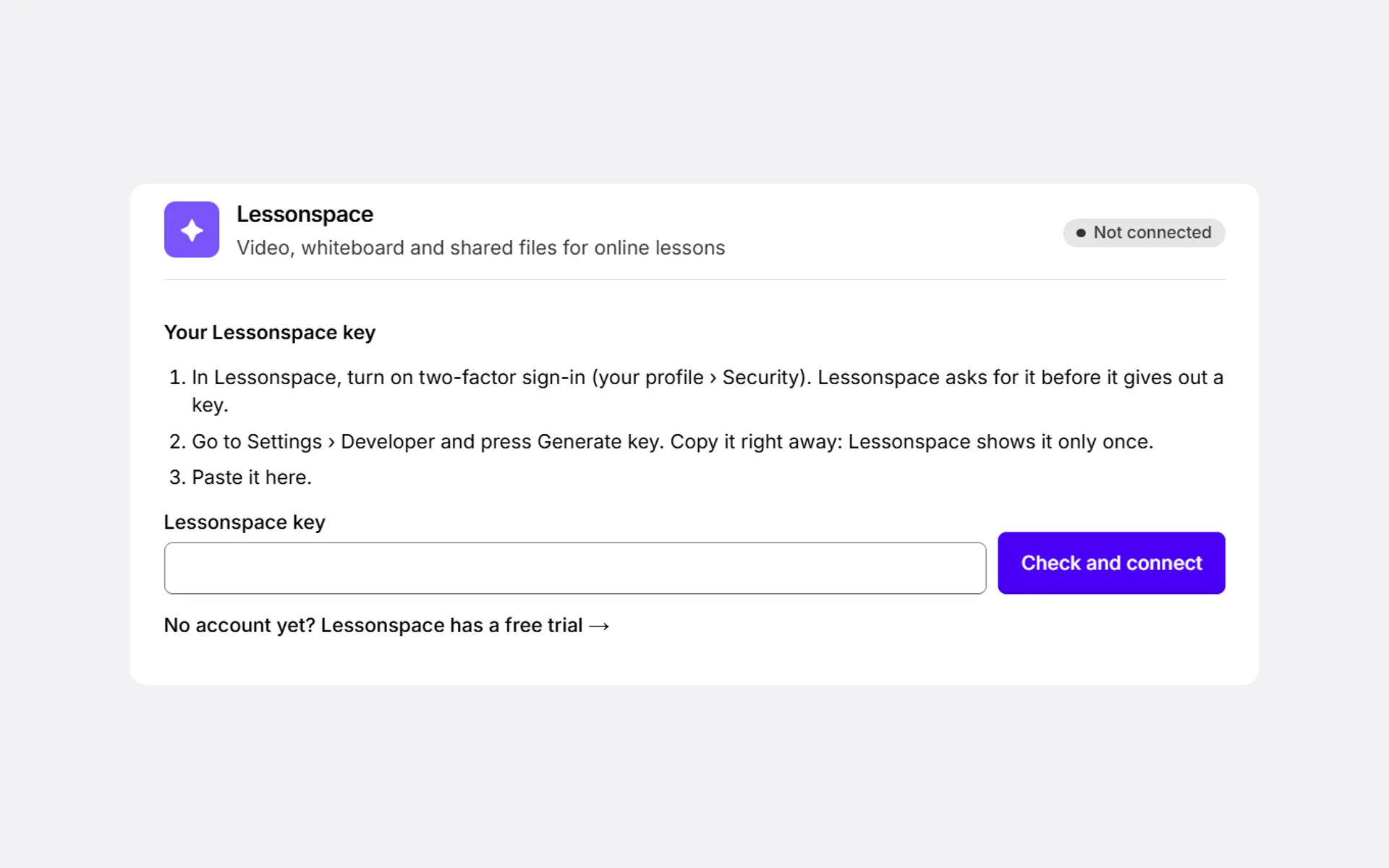
- Turn on two-factor sign-in (your profile › Security). Lessonspace asks for it before it gives out a key.
- Go to Settings › Developer and press Generate key.
- Copy the key right away. Lessonspace shows it only once.
Connect it in Pillar
Where: Settings › Connections › Integrations › Lessonspace
- Paste the key under Lessonspace key.
- Press Check and connect. Pillar checks the key with Lessonspace before saving it.
- The card says Connected, with the key’s last characters and the day it was connected.
Only an owner of the centre can connect Lessonspace. Others see Ask an owner to connect the centre’s Lessonspace account.
What changes for your lessons
- Every new online lesson opens in Lessonspace, including lessons families book themselves. On a lesson, Meeting provider shows Lessonspace classroom.
- Each tutor and student keep one classroom. In a group lesson, every student joins the same classroom.
- Zoom, Teams and Meet stay available on any lesson, and a link you paste on a lesson always wins.
- Recording, transcripts and AI summaries stay off.
How families and tutors join
- The family opens the link in their lesson reminder.
- Pillar asks Who’s joining? and lets them straight into the classroom, with the video and the whiteboard.
- The tutor presses I’m the tutor: sign in.
The classroom opens 15 minutes before the lesson. Someone who arrives earlier sees when it opens, and the page lets them in by itself. A cancelled or finished lesson says so instead.
If something goes wrong
- If Lessonspace refuses your key (it was replaced or deleted there), Pillar tells you in your notifications and on the card. Generate a new key in Lessonspace and paste it under New Lessonspace key. Every lesson works again.
- To stop using it, press Disconnect on the card. Lessons already booked keep their link, but their classroom won’t open. New online lessons go back to Zoom, Teams or Meet.
Did this answer your question?
Thank you. It helps us know what to write better.
Related articles
Still stuck?
Support is included with every plan. Write to us and a person replies.
Contact support