Get paid online by card
Connect Stripe, Square or Global Payments so families pay invoices by card, save a card at registration and pay automatically.
 Written by the Pillar OS team Updated November 2, 2026
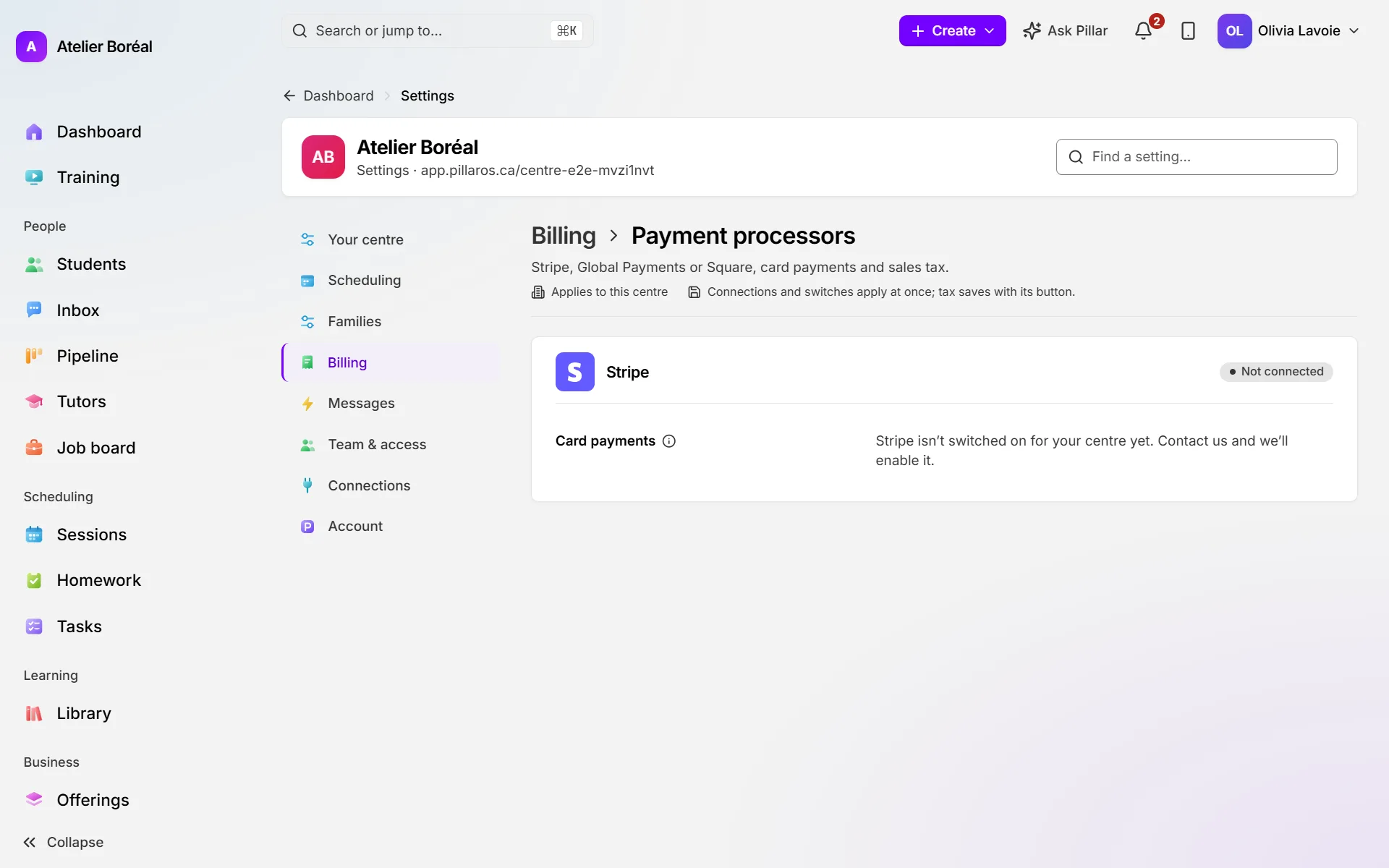
Connect a payment processor so every invoice carries a link to pay by card. Pillar works with Stripe (a new account or the one you already have), Square and Global Payments. Each location uses one processor at a time.
Connect Stripe
Where: Settings › Billing › Payment processors
- Next to Stripe, click Connect Stripe.
- Choose Create a new account, or, if it is offered, Use my existing account to bring the Stripe account you already use, with its customers and saved cards.
- Follow Stripe’s steps. A new account takes a few minutes, and you can finish later.
- If setup isn’t finished, come back and click Finish setting up.
Once connected, Open my Stripe Dashboard opens Stripe and Refresh status asks Stripe for the latest status.
Connect Square
Where: Settings › Billing › Payment processors
- Next to Square, click Connect Square and sign in to your Square account.
- Back in Pillar, pick the Square location that takes this centre’s payments.
- Click Use this location.
Connect Global Payments
Where: Settings › Billing › Payment processors
- Next to Global Payments, click Connect Global Payments.
- Paste the App ID and App Key that Global Payments gave you with your merchant account.
- Click Connect Global Payments. Later, Check again rechecks the account.
Save cards and charge them automatically
Where: Settings › Billing › Payment processors, once Stripe or Square is connected
- Turn on Ask new families for a card at registration to ask for a card when a family registers.
- Turn on Charge saved cards automatically so a family with a card on file is charged when the invoice is issued.
Both switches save at once.
Find cards families already saved
Where: Payment processors › Saved cards on Stripe (or Saved cards on Square)
- Click Find saved cards.
- Read how many families Pillar matched. It matches your families to the processor’s customers by email.
Looking charges nothing and turns nothing on.
Did this answer your question?
Thank you. It helps us know what to write better.
Related articles
Still stuck?
Support is included with every plan. Write to us and a person replies.
Contact support