Tutor pay and payroll
Set each tutor's rate and your pay period, add bonuses, lock a period's payouts and record who you paid. Pillar keeps the record; it sends no money.
 Written by the Pillar OS team Updated November 2, 2026
Payroll works out what each tutor is owed for a pay period, from the lessons they taught. It is a record of pay: marking a tutor paid in Pillar does not send them any money. You still pay them yourself, by e-transfer, cheque or your payroll service.
Set a tutor’s rate and your pay period
Where: Tutors › a tutor › Edit profile, then Settings › Billing rules
- Open the tutor and click Edit profile, then open Compensation.
- Under How this tutor is paid, choose One rate for every session and type the Tutor pay rate (CAD/hour), or choose Different rates by session type. Click Save.
- Open Settings › Billing rules and find Paying educators.
- Pick the Pay period: Monthly (calendar month), Twice a month (1st–15th, 16th–end), Every two weeks or Every week, and the date the First period starts.
- Decide whether to tick Pay for no-shows and Pay for the family’s late cancellations you charged for, then click Save rules.
See what each tutor is owed
Where: Tutors › Payroll
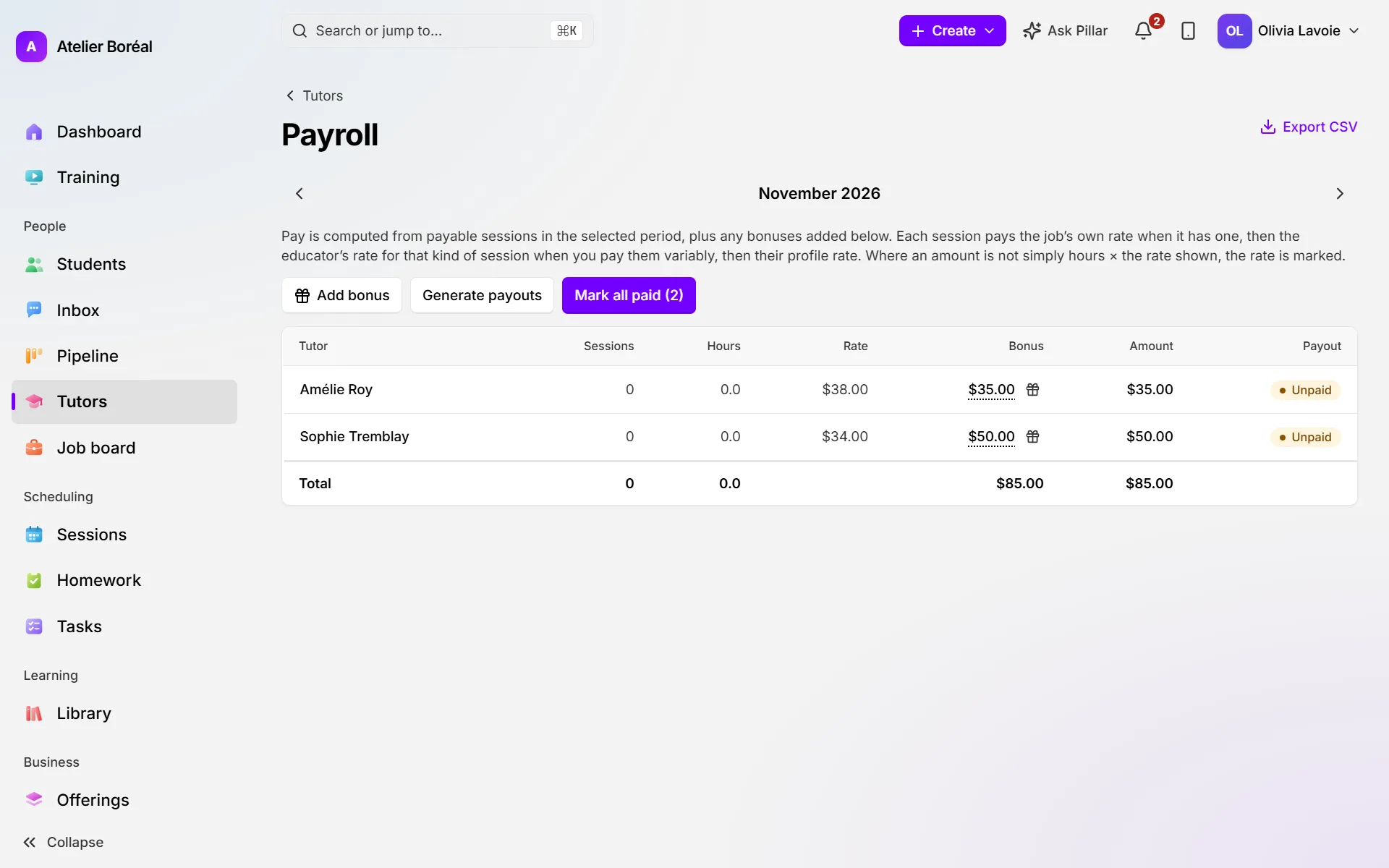
- Click Payroll at the top of the Tutors page. It opens on the current pay period.
- Use the arrows beside the period name to move to an earlier or later period.
- Read each tutor’s row: Sessions, Hours, Rate, Bonus, Amount and Payout, with the Total at the bottom.
Add a bonus
Where: Tutors › Payroll
- Click Add bonus at the top.
- Choose the Tutor, type the Amount and, if you like, a Note (optional) such as “Referral”.
- Click Add bonus. Click a tutor’s bonus amount to see its lines, or Remove one.
Close the period and record who you paid
Where: Tutors › Payroll
- Check the figures, then click Generate payouts. This records the period’s payouts and locks the rates.
- Pay your tutors outside Pillar, the way you usually do.
- Record it: click the Unpaid or Pending badge in a tutor’s Payout cell, or click Mark all paid (N) for everyone.
- Click Export CSV if your accountant wants the period’s figures.
Did this answer your question?
Thank you. It helps us know what to write better.
Related articles
Still stuck?
Support is included with every plan. Write to us and a person replies.
Contact support