Reports and analytics
See your key numbers, the students drifting away, your tutors' workload, revenue against costs, and download payments, sessions and your year's statement.
 Written by the Pillar OS team Updated November 2, 2026
Analytics shows how the centre is doing: students, team, money and who did what. Costs adds your expenses so you can see profit. Owners and admins see both; tutors never do.
Check your key numbers and who needs attention
Where: Business › Analytics › Overview
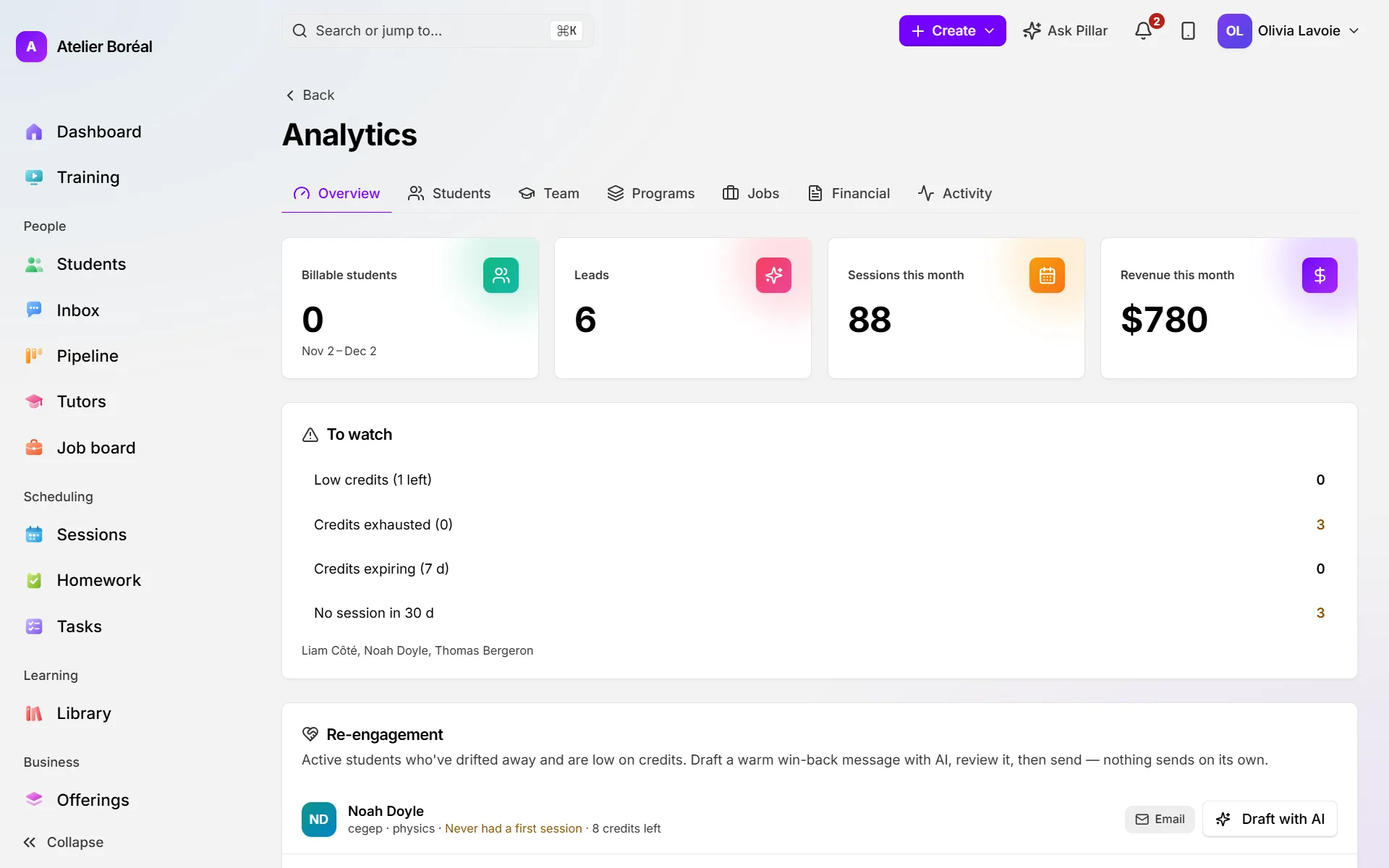
- Open Analytics. The tiles show Billable students, Leads, Sessions this month and Revenue this month.
- Look at To watch for students with no session in 30 days and, if you use credits, those low on credits or out of them.
- To win a family back, go to Re-engagement and click Draft with AI beside the student. Edit the email (or click Redraft), then click Review & send.
- For a written overview of risks and suggested actions, click Generate under Weekly AI report.
See how busy your tutors are
Where: Business › Analytics › Team
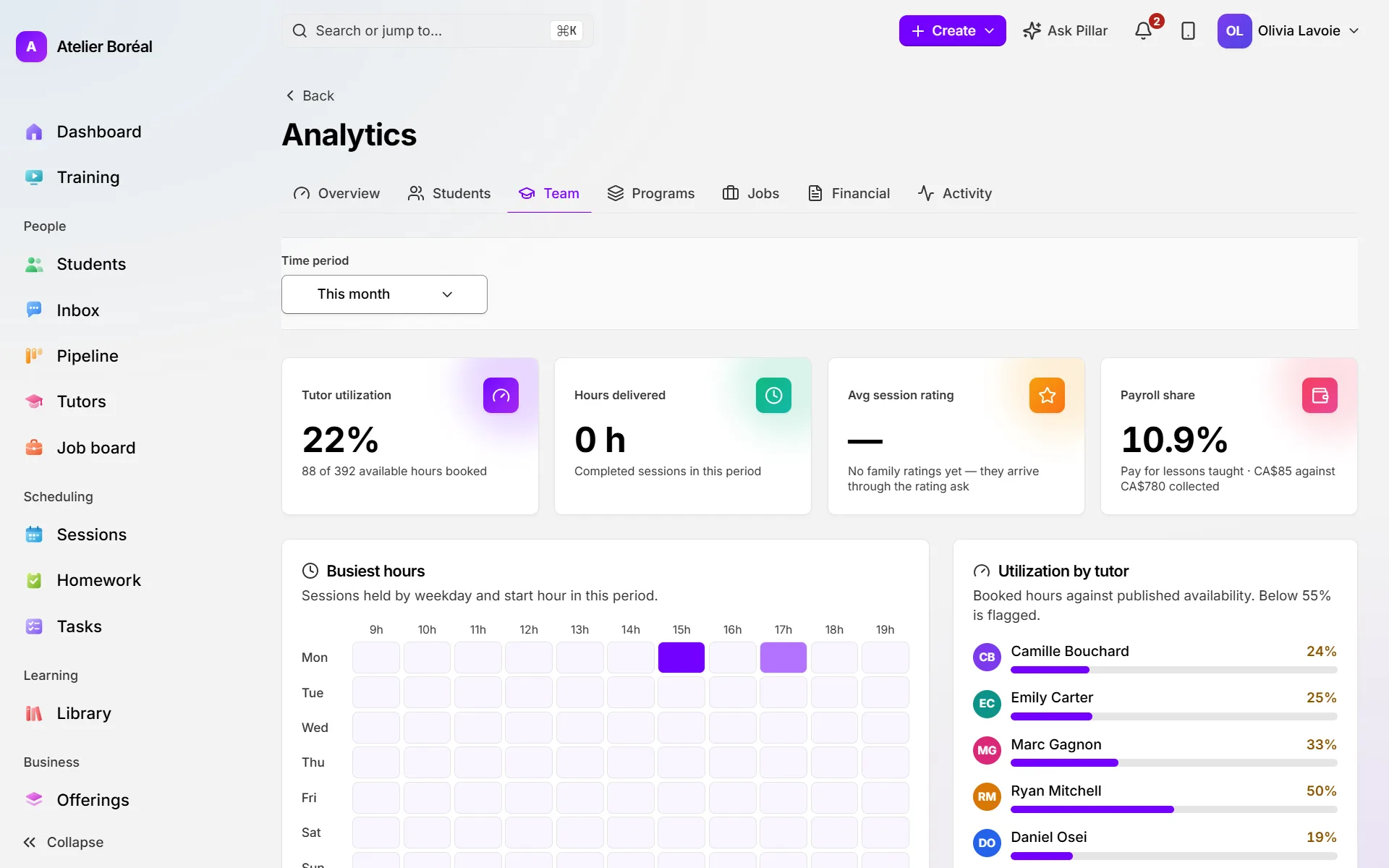
- Pick the Time period, for example Year to date.
- Read Tutor utilization (booked hours against available hours), Hours delivered, Avg session rating and Payroll share.
- Use Busiest hours to see which days and times fill up.
- Use Utilization by tutor and Tutor workload to compare tutors. Tutors under 55% are flagged.
See revenue, costs and profit, and download the figures
Where: Business › Analytics › Financial
- Pick the Time period.
- Read Revenue, Total costs, Operating profit and Profit margin, then the chart and Operations (completed, cancelled, no-shows, attendance rate).
- Click Payments CSV or Sessions CSV to download the period as a spreadsheet.
- Under Centre statement, pick This year, Last year or Other dates, then click Statement (PDF), or CSV: pay by tutor for each tutor’s pay over that period.
Record your expenses
Where: Business › Costs
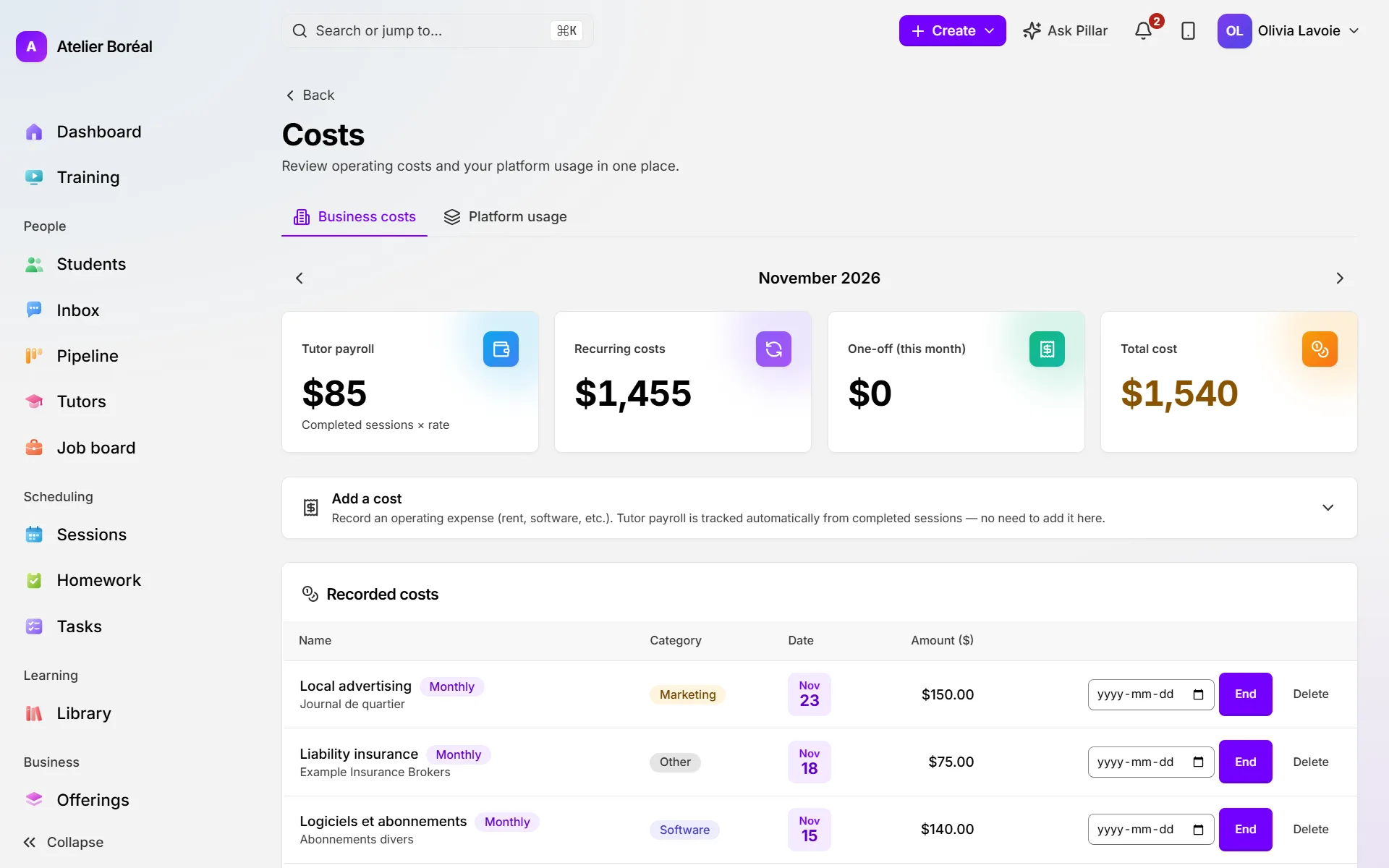
- On Business costs, open Add a cost.
- Fill in Name, Amount ($), Category and Date. Tick Recurring monthly cost for rent or software.
- Click Add cost. Tutor pay is already counted from completed lessons, so don’t add it here.
- Open Platform usage to see what your Pillar OS bill will include this period.
Did this answer your question?
Thank you. It helps us know what to write better.
Still stuck?
Support is included with every plan. Write to us and a person replies.
Contact support